Find information on the UMass Chan Content Management System, Optimizely. Learn how to populate your web pages, read about bugs, and new or updated functionality.
Mar 6, 2024
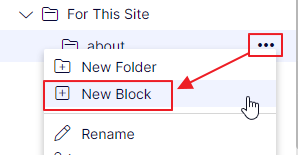
Create a new block
Create a block from a content page or another block
Read more
Interface,Training, Leslie Rutter
Mar 6, 2024
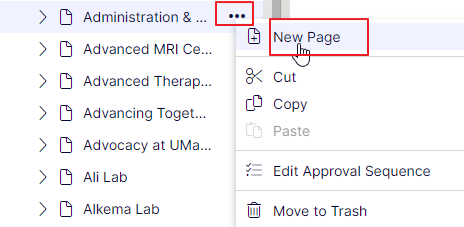
Create a new page
Creating a new page in the CMS
Read more
Interface,Training, Leslie Rutter
Mar 6, 2024
Panes - change the viewing area
CMS content pane - changing the workable area
Read more
Interface,Tips and Tricks, Leslie Rutter
Mar 5, 2024
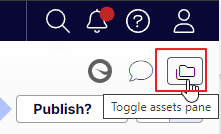
Where do I find media (files, images) and blocks?
Media (files, images) and blocks are found in the right pane within the editor.
Read more
Interface,Tips and Tricks,Training, Leslie Rutter
Mar 5, 2024
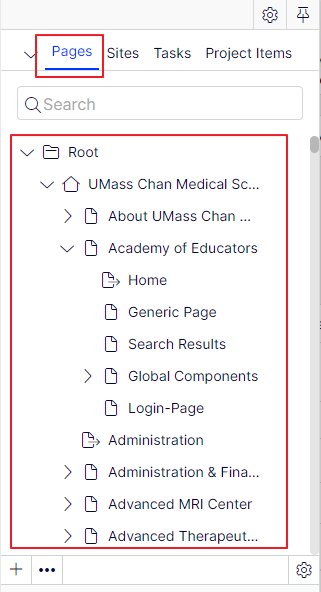
Where do I find content?
CMS content tree
Read more
Interface,Tips and Tricks,Training, Leslie Rutter
Nov 21, 2022
How to Refresh Your CMS View After an Update
After a CMS upgrade or when new functionality is added, you may not immediately see the latest tools, options, or interface changes in Optimizely. This can happen because your personal CMS view settings are still using an older layout.
Read more
Interface, Leslie Rutter
Nov 20, 2018
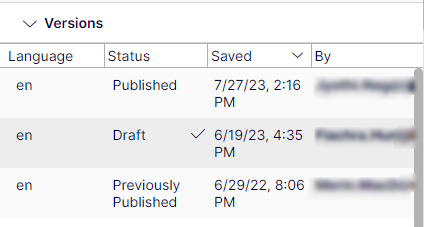
Adding The Version/History Gadget
There are built-in gadgets both for the Episerver platform and product-specific ones, for example, gadgets for forms viewing, visitor groups statistics and version management.